
Live Face Swap
Real-time AI character transformations for your webcam.
Screenshots
Free Trial
AI Video
Generative AI
Creative Tools
Built with Vercel
VercelWhat is Live Face Swap?
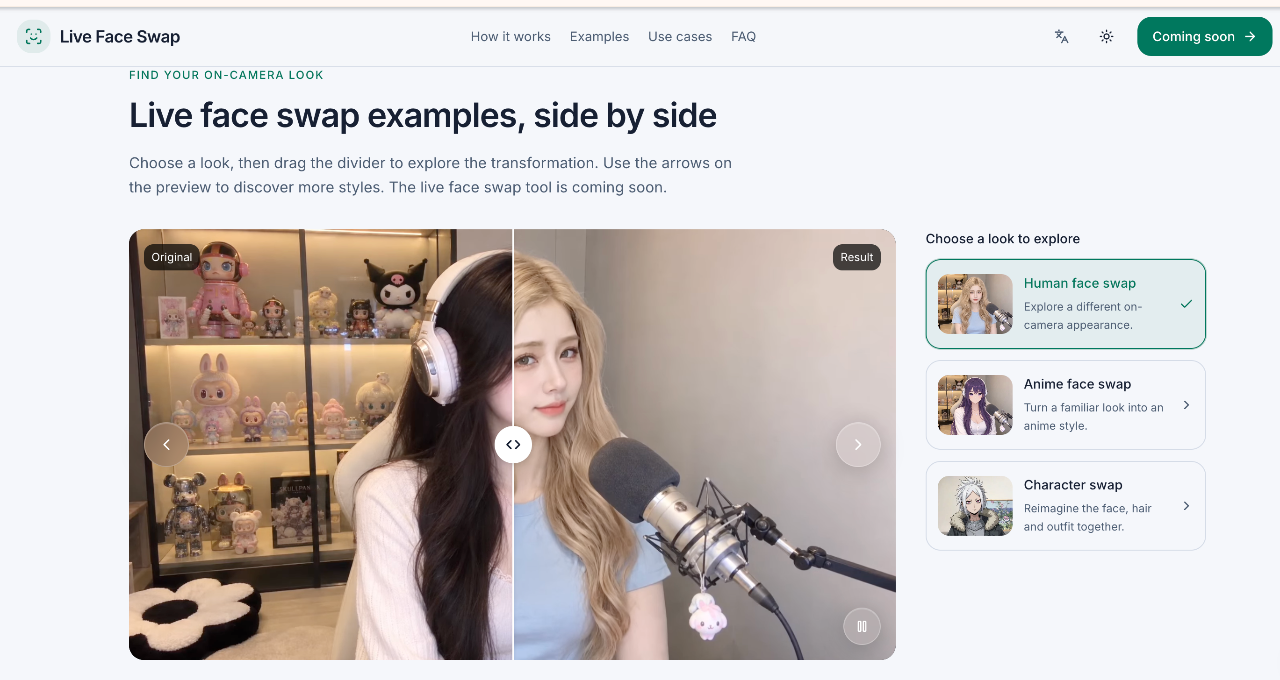
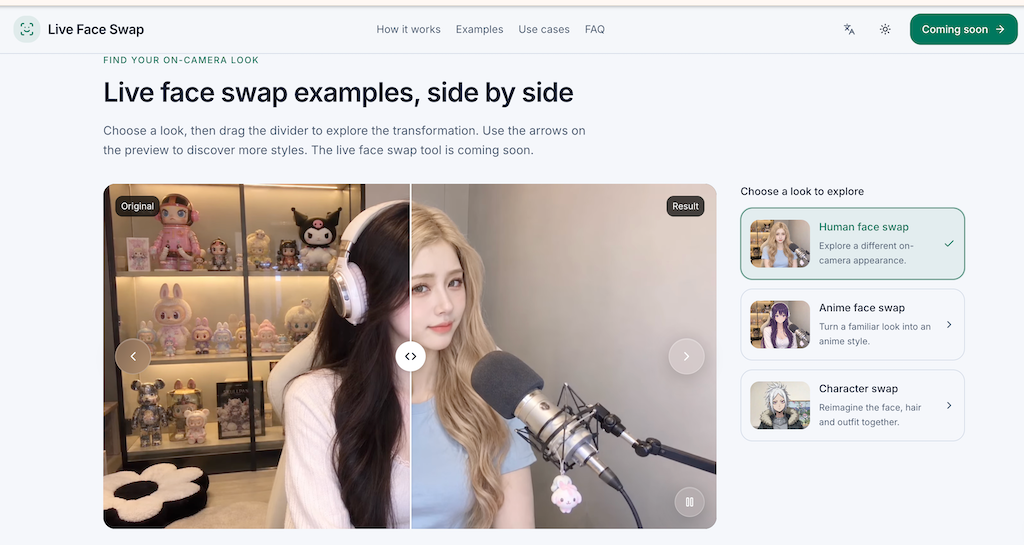
Live Face Swap is a browser-based artificial intelligence application designed to alter on-camera appearances in real time. Running on the Xmax X2.0 CharX model, the tool tracks incoming webcam video and maps an authorized reference image onto the user. Depending on the selected target, the processing can modify facial features, hair, clothing, or the entire character presentation while tracking natural facial expressions.
Traditional face alteration tools typically focus on processing static photographs or rendering pre-recorded video files asynchronously. Live Face Swap addresses live interaction by continuously processing incoming camera frames directly inside a web browser, enabling creators to preview and record dynamic character performances as they happen.
The system prioritizes local control during setup. Camera previews, image selections, and media recordings are kept on the local machine before any transformation begins. Live generation remains restricted to configured pilot accounts, allowing safe verification of expression tracking, movement stability, and transmission latency.
Who is it for?
Live Face Swap serves digital creators and performers seeking immediate visual character modifications.
- Solo content creators rehearsing digital personas and creative skits before final production.
- Actors and voice performers practicing dialogue delivery, timing, and facial expressions with dynamic visual feedback.
- Storytellers exploring stylized looks like anime characters or historical figures for creative visual concepts.
- Eligible pilot testers evaluating real-time webcam rendering performance, latency, and machine learning models.
Key features
- Real-time character swapping: Continuously adapts webcam input to match a chosen reference appearance, including expressions, hair, and clothing styles.
- Local camera preview: Enables users to frame their shot, check lighting, and align angles locally without sending camera frames to external servers beforehand.
- Built-in reference library: Offers up to 24 curated character looks, including stylized personas, traditional figures, and anime aesthetics for quick testing.
- Custom reference uploads: Accepts user-supplied images in JPG, PNG, or WebP formats between 128x128 pixels and 16 megapixels for customized character generation.
- In-browser clip recording: Captures the transformed video feed directly in the browser tab, allowing immediate replay and local file downloads without recording UI controls.
- Optional local audio capture: Records microphone input strictly on the local device alongside video, ensuring voice tracks are never transmitted to the visual model.
- Safety validation checks: Applies automated review to uploaded likenesses and requires explicit confirmation of usage rights before processing starts.
Use cases
Creators working on skits or narrative sketches can use the live preview to test out character concepts. Watching facial expressions map onto a digital persona helps performers adjust delivery, head positioning, and timing before producing final creative assets.
Performers practicing dialogue or voice acting can monitor how subtle facial movements, smiles, and head turns transfer to stylized figures. By recording short takes locally, users can review acting choices and visual fidelity immediately.
Digital visual designers can experiment with various aesthetic references against realistic camera lighting, using built-in artistic presets to evaluate character styling for visual storytelling projects.
Pricing
Live Face Swap operates as a closed pilot, and final pricing plans have not been released. Navigating the application and checking local camera previews are free. Sample plans displayed in a testing sandbox include a Starter plan at $9 per month, a Pro plan at $29 per month, and an Enterprise plan at $99 per month, though these test tiers do not currently unlock live generation access. The pilot interface mentions an initial test allotment of up to 5 seconds or 5 Xmax credits for configured tester accounts.
FAQ
Can anyone access real-time generation immediately?
Live generation is currently restricted to an invite-only browser pilot. While any user can inspect the interface, select reference styles, and test their camera locally, real-time transformations require an eligible, configured tester account.
Does the tool integrate with OBS, Zoom, or Discord?
Direct virtual camera outputs and streaming software integrations like OBS, Discord, or Zoom are not supported at this time. All transformations, playback, and recordings currently take place solely inside the browser window.
Loading...
Related products
View all





More categories
All categories







Launched in Week 52, 2026
See the week
Multi-model image and video studio in the browser
0
AI, AI Image Generation, AI Video
0
AI, AI Image Generation, AI Video
52d21h56m
Launches in52days
:21hours
:56mins
:19secs

Manual image editing services for ecommerce and photo teams
0
Photo Editing, Ecommerce, Photography
0
Photo Editing, Ecommerce, Photography
52d21h56m
Launches in52days
:21hours
:56mins
:19secs

Offline Windows AI redaction — faces & plates, no cloud.
0
AI Video, Privacy, Cybersecurity
0
AI Video, Privacy, Cybersecurity
52d21h56m
Launches in52days
:21hours
:56mins
:19secs
Voice calculator app for iPhone: say the sum, see the total
0
Productivity, Mobile App, Accessibility
0
Productivity, Mobile App, Accessibility
52d21h56m
Launches in52days
:21hours
:56mins
:19secs