Napless
Keep your Mac awake during downloads, calls, and agent tasks
Screenshots
 Appstore
What is Napless?
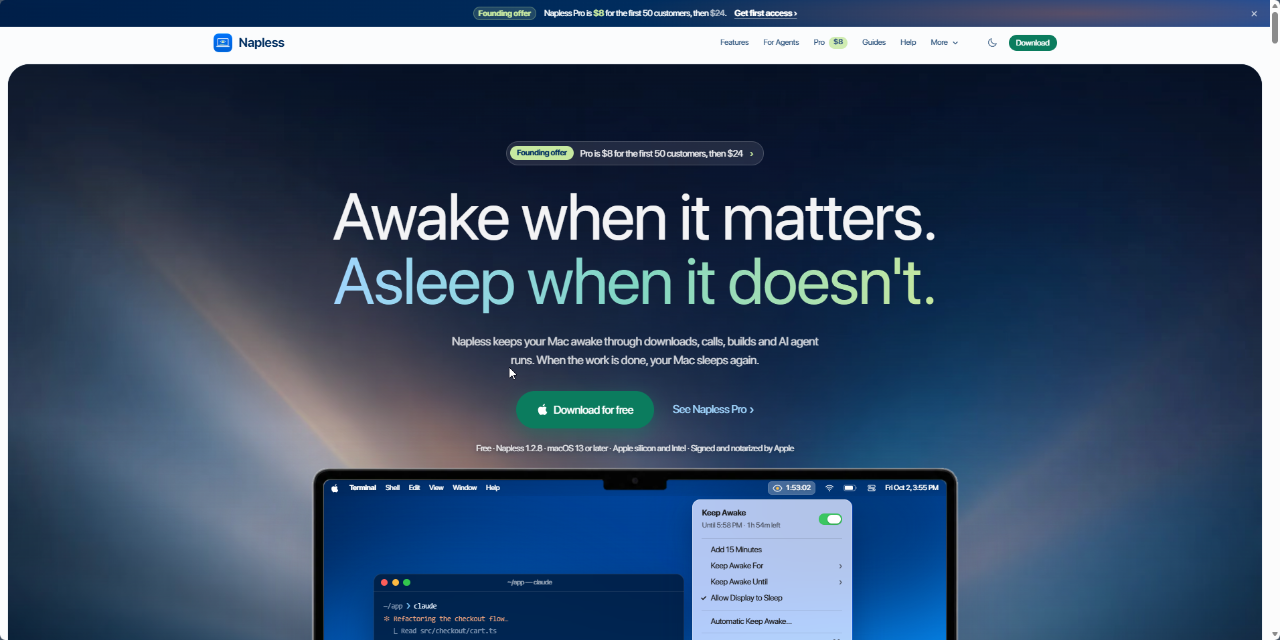
Napless is a native macOS menu bar utility that prevents your computer from sleeping while you work. Built for modern workflows, it addresses common frustrations where standard system sleep settings interrupt long-running background tasks. It replaces basic tools by offering fine-grained triggers and honest status feedback instead of blindly forcing a system wake state.
The app solves the problem of sudden system sleep interrupting file downloads, video meetings, software builds, and command-line processes. Unlike basic timers, Napless actively monitors macOS to verify that the operating system is genuinely honoring the sleep prevention request. If the system fails to remain awake or sleep protection drops, the app changes color in the menu bar and alerts you to the issue.
Napless introduces smart detection tailored for modern developers and remote workers. It distinguishes between an AI coding agent actively executing a task and a prompt waiting for user input. It also integrates safety features that stop wake assertions if your laptop battery hits a specified threshold or if system temperatures climb too high.
Who is it for?
Napless is designed for anyone on macOS whose projects require uninterrupted machine operation without manual intervention.
- Software engineers running local development servers, build scripts, or terminal-based AI coding agents.
- Remote workers who need their Mac to remain awake during long presentations and conference calls.
- Video creators, designers, and analysts executing large exports, file rendering, or complex model calculations.
- Students and general users requiring clean focus timers or interruption-free large file transfers.
Key features
- Agent Turn Detection: Keeps your Mac awake while CLI coding agents like Claude Code, Codex, Cursor, Grok, or Gemini work, then lets the machine sleep when waiting for user input.
- Automated Condition Triggers: Starts and stops wake assertions automatically based on active downloads, connected displays, running apps, Time Machine backups, or active mics and cameras.
- Sleep Health Verification: Actively checks whether macOS is truly holding the Mac awake and turns the menu orange if protection is unexpectedly dropped.
- Hardware Safeguards: Monitors machine thermals to prevent overheating and automatically ends keep-awake sessions when battery reserves fall below your defined level.
- Developer Process Tracking: Monitors custom shell commands and specific port activity so background builds and dev servers run without sleep disruptions.
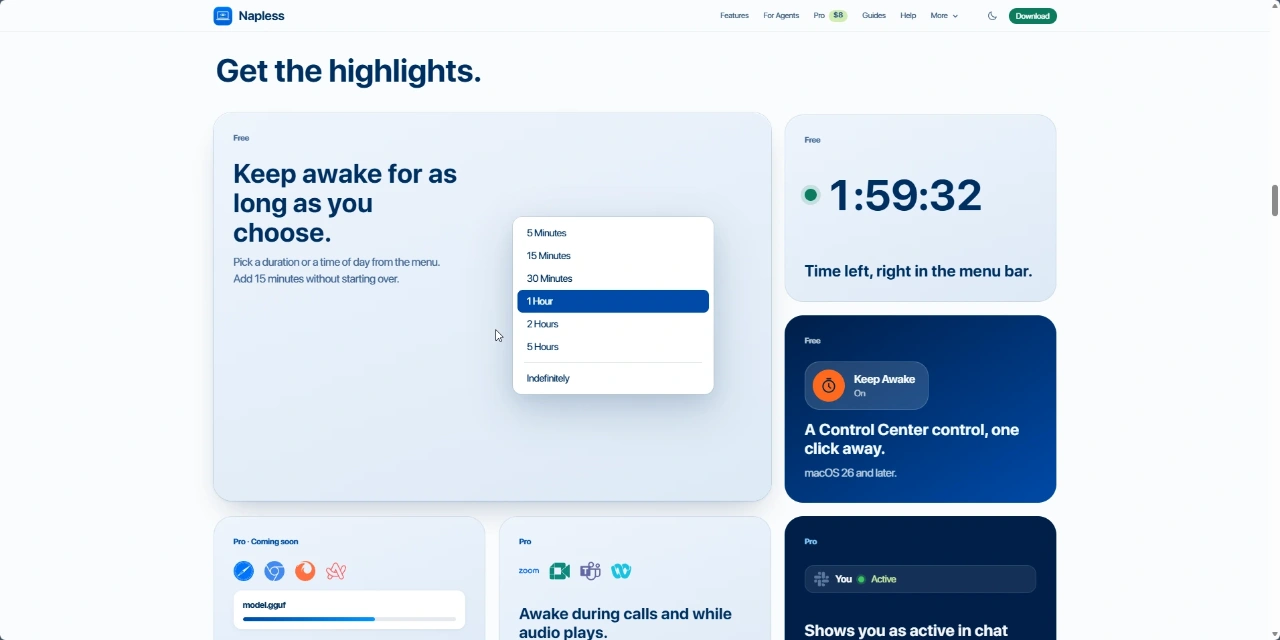
- Configurable Presets and Timers: Allows quick selection of fixed intervals, end times, or customized task profiles, with options to add 15-minute increments instantly.
- Remote Alerts: Dispatches notifications to Slack or Telegram if sleep prevention stops for safety reasons or if a monitored agent stops responding.
Use cases
When running large dataset transfers or asset downloads, you can step away from your desk knowing Napless will prevent sleep until the transfer completes, releasing system resources immediately afterward.
During long video conferences on Zoom, Google Meet, or Teams, the software tracks camera and microphone usage so your screen will not sleep mid-sentence, even if you do not touch your mouse or keyboard.
For developers running background command-line workflows or AI agent sessions, Napless tracks active terminal turns, preventing sudden disconnects mid-generation while guarding against overheating inside a bag.
Pricing
Napless offers a fully featured 7-day free trial. After the trial ends, keeping the Mac awake requires Napless Pro. A founding lifetime deal is available at $8 for the first 50 customers, after which the one-time purchase price is $24 for lifetime access on up to 3 Macs.
Alternatives
Napless serves as an alternative to Amphetamine and the built-in macOS caffeinate terminal command. While traditional tools use static timers or broad application triggers, Napless adds automated agent tracking, system sleep verification, remote alerts, and automatic thermal shutoffs.
FAQ
What system versions does Napless support?
Napless supports macOS 13 or later on both Apple silicon and Intel hardware, signed with an Apple Developer ID and notarized.
How does the free trial work?
You can access all Napless features, including automatic triggers and agent mode, free for 7 days. Once the trial ends, continuing to hold your Mac awake requires a Napless Pro license.
Related products
View all
Daily Random Bible Verse Generator
Tap for a fresh KJV verse, switch translations, then copy it

AntForms
Unlimited free submissions + free analytics + integrations +


CuteArr
Free QR codes that never expire - no signup, no tracking.


More categories
All categories
Launched in Week 4, 2027
See the week
Ptero
Free multi-model AI chat with local-first privacy
FounderAgreement.com
Free Founders' Agreement & Co-Founder Builder

Ninja Importer
Bulk import customers, products, and orders to Shopify

First 1,000 Users
Guides to your first 1,000 users, by stage and product