
Ninja Importer
Bulk import customers, products, and orders to Shopify
Screenshots
 Wordpress
What is Ninja Importer?
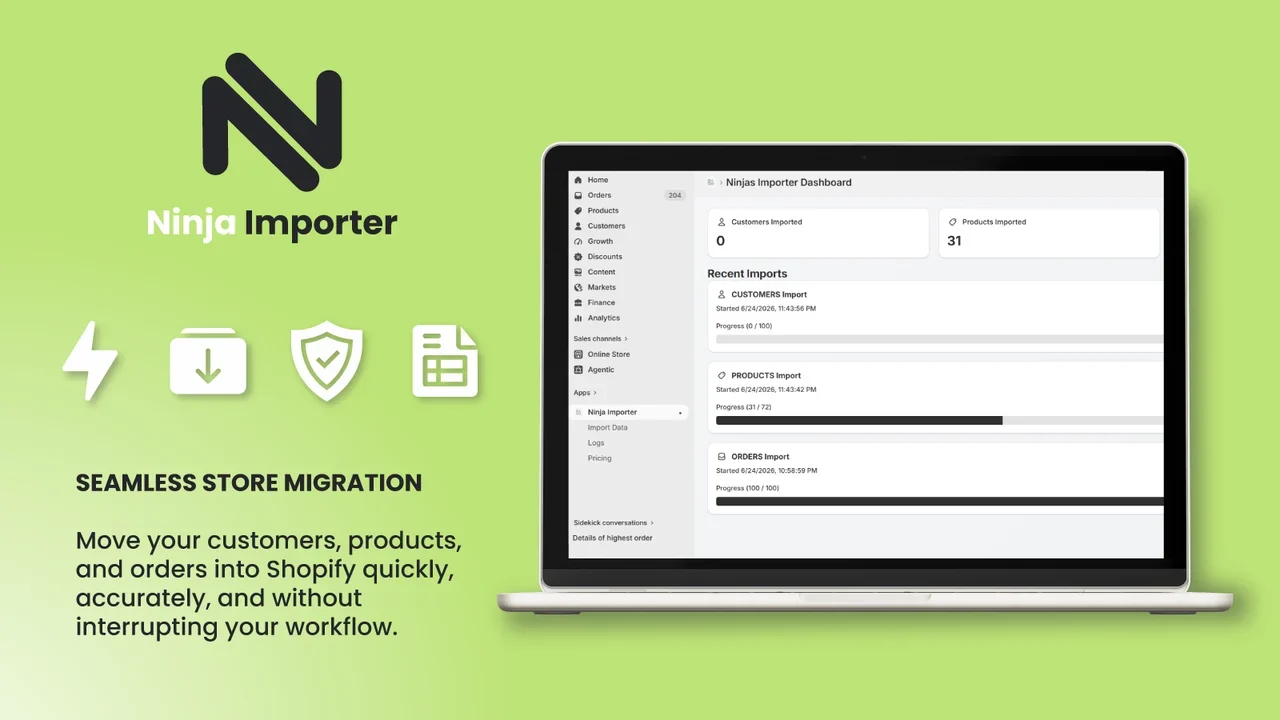
Ninja Importer is a data migration tool designed to help merchants and agencies transfer store records into Shopify. It handles bulk data imports for customers, products, and orders using standard CSV or Excel files. By consolidating multiple record types into a single interface, it removes the need to use separate tools or manage distinct migration workflows.
Importing large datasets through standard browser tabs often leads to timeouts, frozen screens, and lost work. Ninja Importer addresses this problem by moving processing tasks completely to the background. Store owners can upload their spreadsheets and close their windows while the system processes records reliably on its own servers.
Another common hurdle in store migration is diagnosing rejected records. Ninja Importer includes detailed row-by-row error logs that capture exact Shopify API response messages. This granular feedback helps users identify and resolve formatting errors immediately instead of guessing why specific rows failed.
Who is it for?
Ninja Importer is built for individuals and teams needing dependable Shopify data migration:
- Shopify merchants migrating from another commerce platform to a new store.
- Digital agencies and web development firms handling frequent client store migrations.
- Store operators updating large batches of customer records, product catalogs, or historic orders.
- Growing ecommerce brands that need to transfer data without hitting tight spreadsheet caps.
Key features
- Multi-record bulk importing: Upload customers, products, and orders directly into Shopify from a single application interface.
- Spreadsheet format compatibility: Accepts standard CSV and Excel files, avoiding the hassle of manual format conversions.
- Background processing: Runs all data tasks on the server side so your browser does not freeze during large file uploads.
- Row-level error logging: View exact rows that failed alongside raw Shopify API error messages to troubleshoot data quickly.
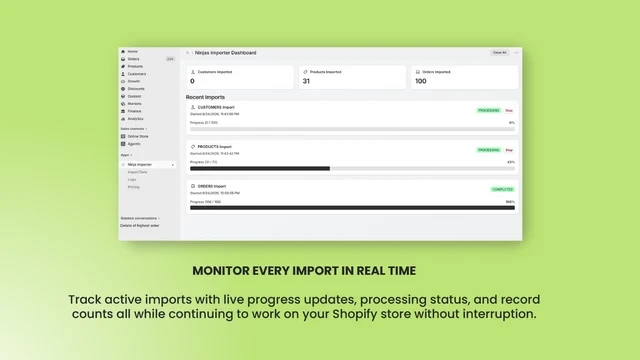
- Real-time migration monitoring: Watch live upload progress and track success metrics across all record types as jobs execute.
- Automated completion alerts: Receive an email notification as soon as an import finishes so you can verify results immediately.
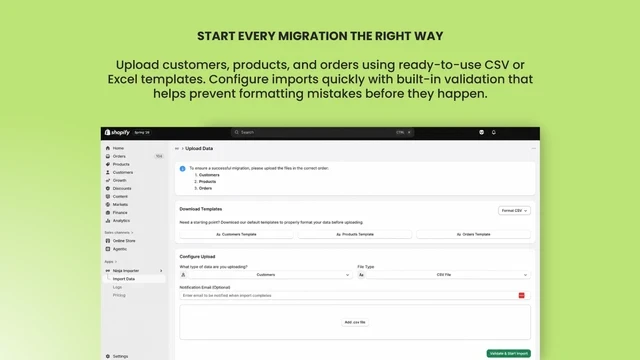
- Pre-formatted templates: Access ready-to-use template files for customers, products, and orders to ensure proper formatting prior to upload.
How it works
- Download the provided CSV or Excel template for customers, products, or orders.
- Fill out the template with your data and upload the spreadsheet inside the app.
- Track progress in real time as the background job processes your data, or wait for the automatic completion email.
- Review the logs dashboard to view successful items and resolve any flagged rows.
Use cases
When switching an existing ecommerce business to Shopify, merchants can move their historical order history, customer profiles, and full product catalogs in distinct stages without writing migration scripts.
Web development agencies managing client platform handoffs can run clean store migrations while monitoring row logs to fix formatting issues before client review.
Growing stores receiving inventory updates or bulk customer lists from outside partners can upload the files directly without keeping browser sessions open.
Pricing
Ninja Importer provides a free plan that allows importing up to 1,000 customers, 500 orders, and 100 products per upload.
FAQ
What formats does Ninja Importer support?
The app supports standard CSV and Excel files using downloadable templates for customers, products, and orders.
Do I need to leave my browser window open during imports?
No. Migrations run in the background on the server, and the system sends an email notification the moment the process finishes.
What are the limits on the free plan?
The free plan allows you to import up to 1,000 customers, 500 orders, and 100 products per upload.
How do I fix errors in my uploaded file?
The app provides row-level logs displaying the exact row that failed along with the raw Shopify API error message, allowing you to fix the issues directly.
Related products
View all
Sellerview.ai
SKU-level profit analytics for Amazon sellers


BeePOP
AI-powered Amazon listing image & A+ Content generator

fetchlyhub
Find the Absolute Best Price Across Every Store


More categories
All categories






Launched in Week 4, 2027
See the week
Ptero
Free multi-model AI chat with local-first privacy

Napless
Keep your Mac awake during downloads, calls, and agent tasks

FounderAgreement.com
Free Founders' Agreement & Co-Founder Builder

First 1,000 Users
Guides to your first 1,000 users, by stage and product