
Outbound
Mac application firewall to monitor and control connections
Screenshots
 Appstore
What is Outbound?
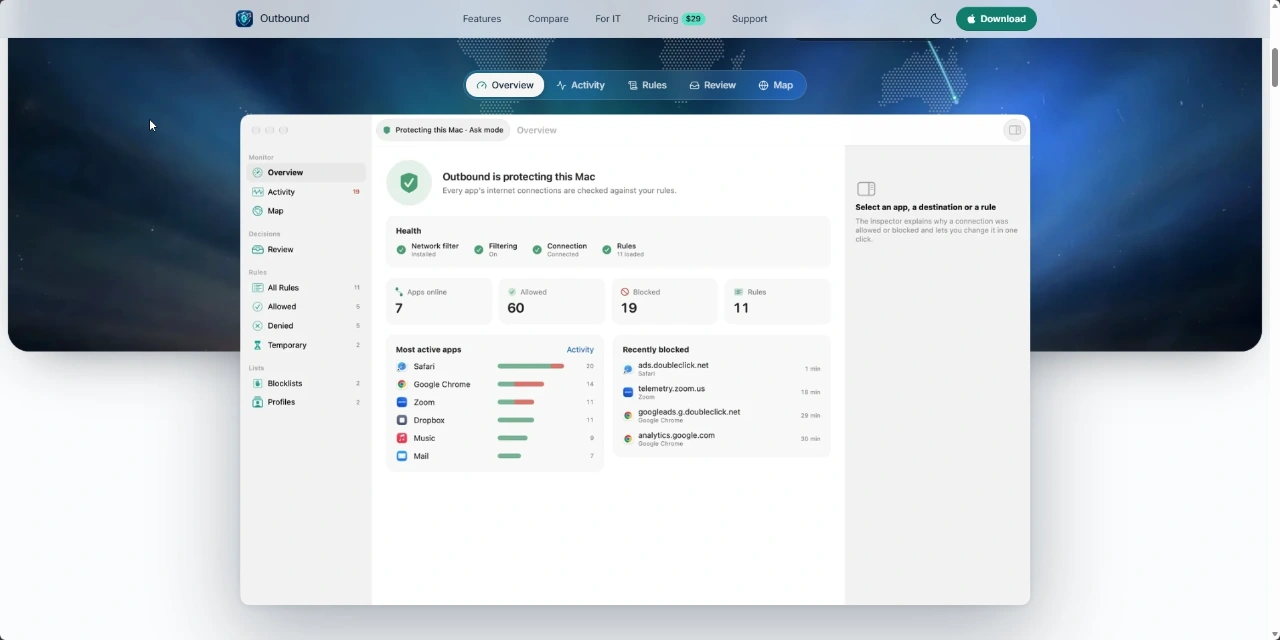
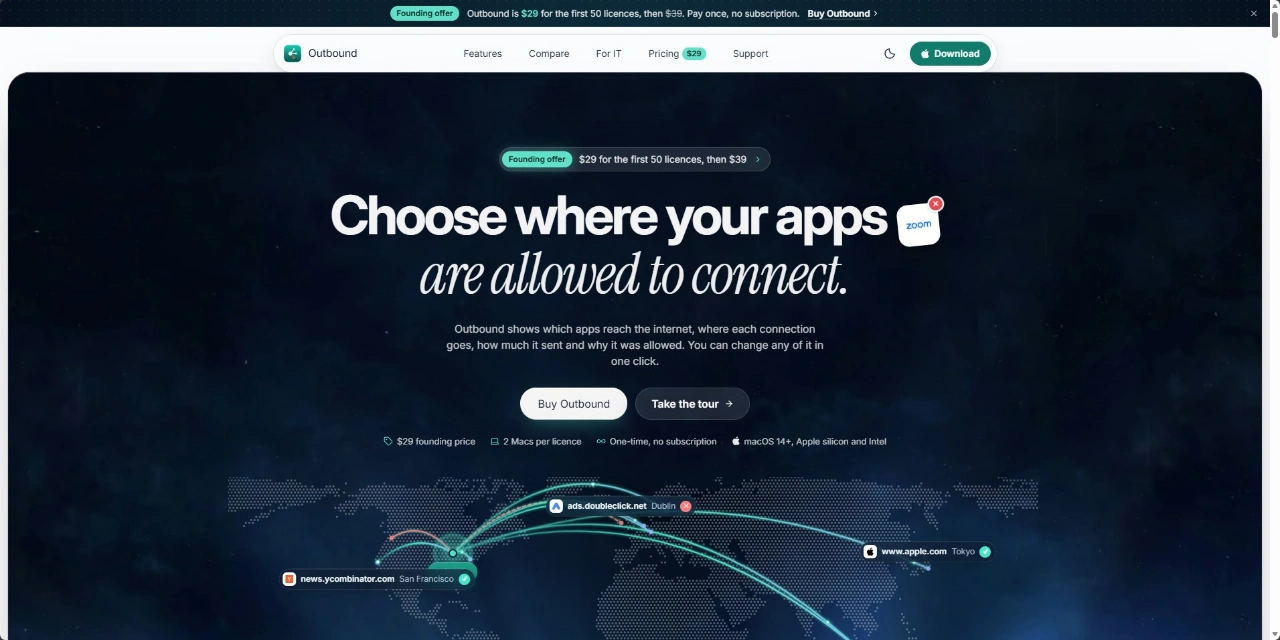
Outbound is an outbound application firewall designed for macOS that monitors which applications communicate over the internet. Updaters, telemetry services, crash reporters, and analytics trackers frequently transmit data in the background without user intervention. Outbound reveals these connection attempts, showing the originating program, remote destinations, transfer volumes, and the reason traffic was permitted or blocked.
When software attempts to reach a new address, Outbound prompts the user to either approve or deny the request. Rather than displaying vague connection strings, the app identifies developer certificates, flags whether destination servers belong to the application maker, and can quote stated developer policies. Users can apply actions permanently or across several temporary durations.
Unlike tools that send activity logs to remote infrastructure, Outbound keeps all network monitoring data, history, and filtering rules directly on the local machine. It uses an offline geographic database to map connection routes across 2D maps and 3D globes without transmitting search queries off the Mac.
Who is it for?
Outbound is built for Mac users who require strict visibility and authority over background network activity, including:
- Privacy-focused Mac owners seeking to halt unexpected telemetry, tracking scripts, and analytics.
- Developers and software engineers who need to inspect ports, protocols, and exact network calls made by their software.
- System administrators wanting to create and enforce detailed application-level network policies without user account logins.
- Power users looking for a native macOS menu bar monitor that balances granular control with minimal system load.
Key features
- Interactive connection alerts: Displays the app name, signing certificate, protocol, port, and whether the destination matches the official developer, preventing guesswork when approving requests.
- Flexible rule lifetimes: Allows or blocks connections across six intervals, including once, for an hour, until the application quits, until logout, until restart, or permanently.
- Integrated network monitor: Offers live traffic readouts, uploaded and downloaded byte counts, and searchable records filtered by host, app, port, protocol, or country.
- 2D map and 3D globe visualization: Illustrates data routes across the world using an offline database, available as a floating desktop element, menu bar view, or within the monitor window.
- Three operational modes: Supports Learn mode to record traffic without prompts, Ask mode to approve connections interactively, and Strict mode to reject unmatched traffic immediately.
- Consolidated process handling: Folds background helpers and child renderers into their parent software, keeping browser processes and multi-process utilities organized within a single row.
- Blocklist management: Accepts third-party HTTPS blocklists supporting up to 200,000 entries while retaining the last valid list if network fetches fail.
Use cases
A user discovers background analytics or telemetry pinging third-party servers while running teleconferencing software. Outbound detects the remote hostname and lets the user deny telemetry specifically while keeping primary call functionality fully operational.
A developer testing application updates wants to verify that network calls target the intended staging API and do not send unnecessary data. Using the Network Monitor, the developer filters by application name to measure transmitted bytes and confirm the exact port and protocol in real time.
A remote worker frequently switches between public and private networks. Outbound applies localized profiles, preventing unapproved utilities from broadcasting data over insecure Wi-Fi without explicit user authorization.
Pricing
Outbound uses a paid licensing model with no recurring subscription fees. A founding offer provides licenses for $29 for the first 50 purchases, followed by a regular one-time purchase price of $39. Each license permits activation on up to two Macs. There is no account sign-up required to use the software.
Alternatives
Outbound serves as an alternative to Little Snitch and LuLu. While those tools also manage outbound macOS traffic, Outbound differentiates itself with a native 3D globe and 2D geographic monitor powered by an offline database, built-in process folding for multi-process apps, and a flat one-time pricing model without recurring fees.
FAQ
What are the system requirements for Outbound?
Outbound requires macOS 14 or later and runs natively on both Apple silicon and Intel Mac hardware.
Does Outbound require an account or subscription?
No account creation is needed, and the software is sold as a one-time purchase without recurring subscription charges.
Related products
View all
Excelerator Password 2.0
Lock and unlock Excel workbooks without opening Excel



VSkim - Custom Video Skipping for YouTube
Skip user-defined segments on YouTube


More categories
All categories





Launched in Week 5, 2027
See the weekMergePNG
Merge PNG images online for free

Tuck
Hide, search, and manage macOS menu bar icons

AddSpeechBubble
Create realistic Discord DM screenshots in a phone frame

RankBuddy
AI SEO, SEO agent, AI SEO employee, SEO tools, SEO audit, ke

