
PixText
Edit the text inside any image with AI
Screenshots
Freemium
Photo Editing
Graphic Design
Built with Next.js
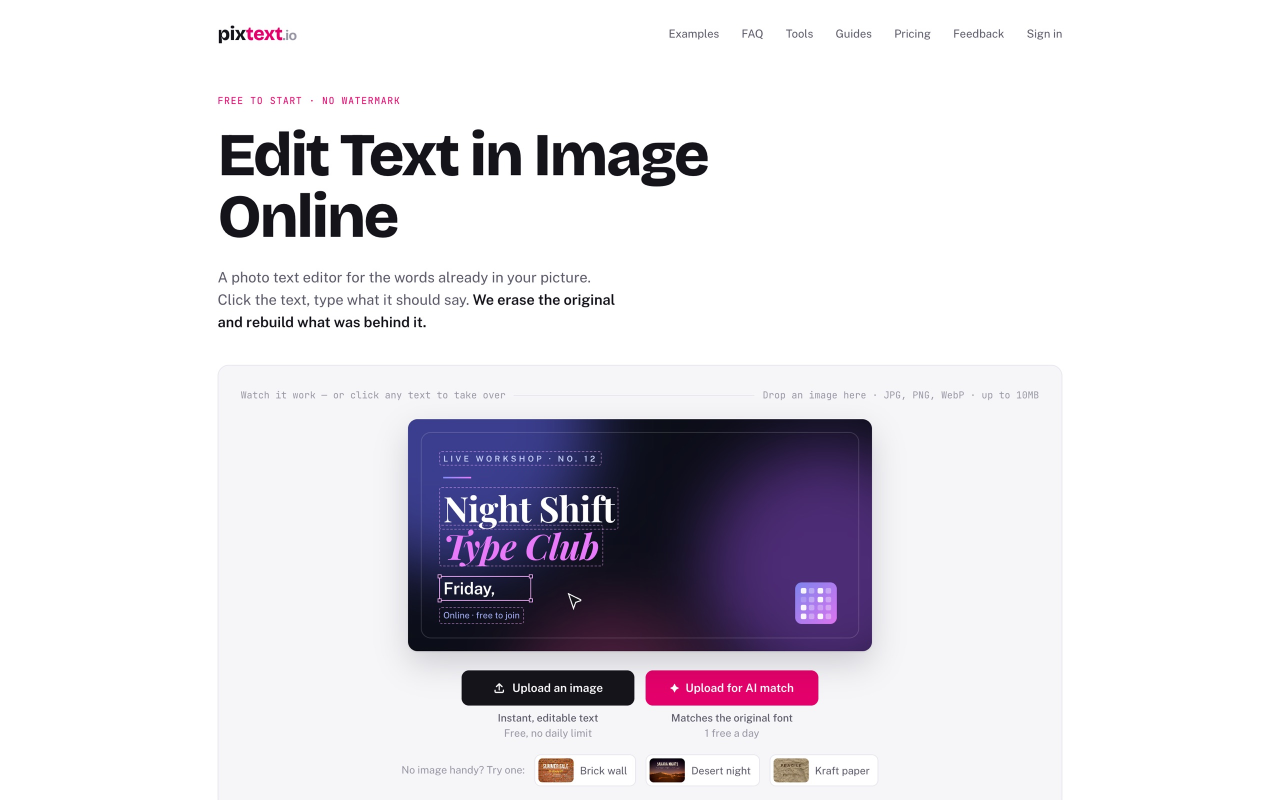
Most image editors can only put new text on top of a picture. PixText edits the text that's already in it.
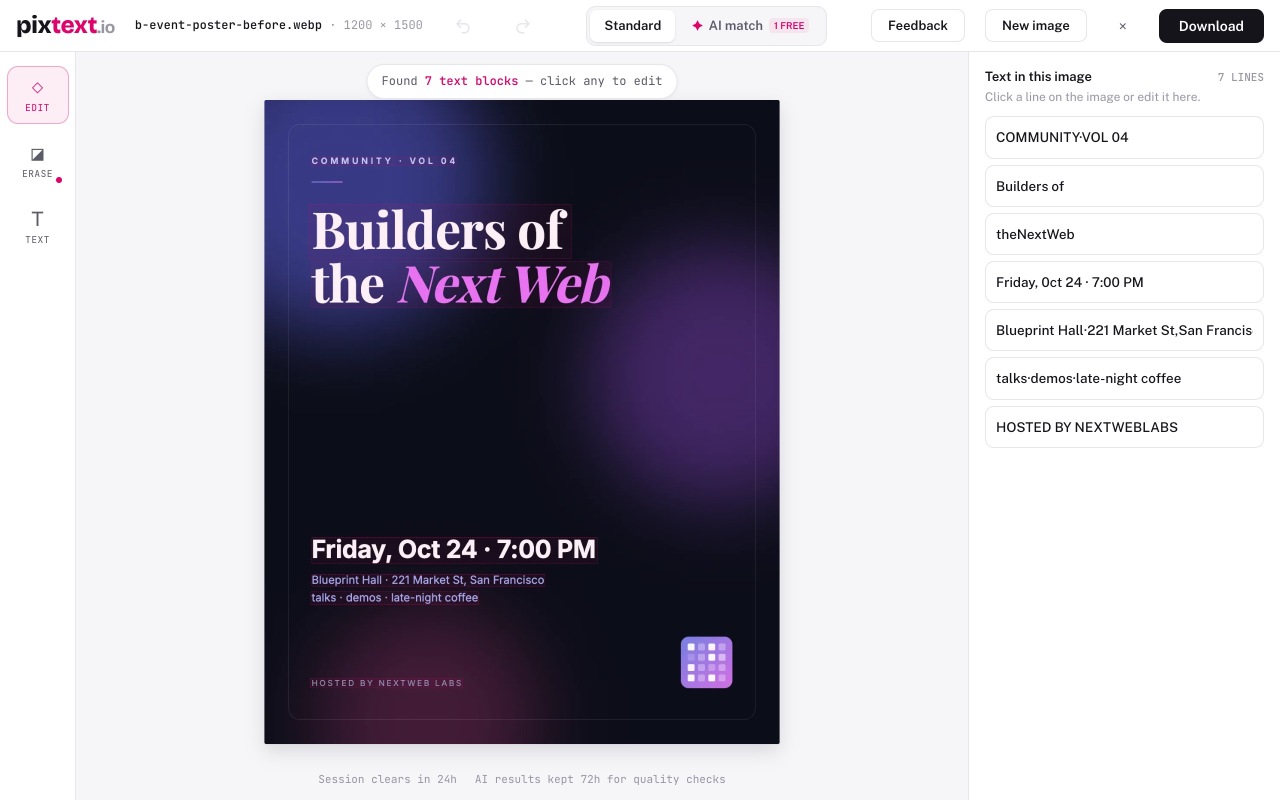
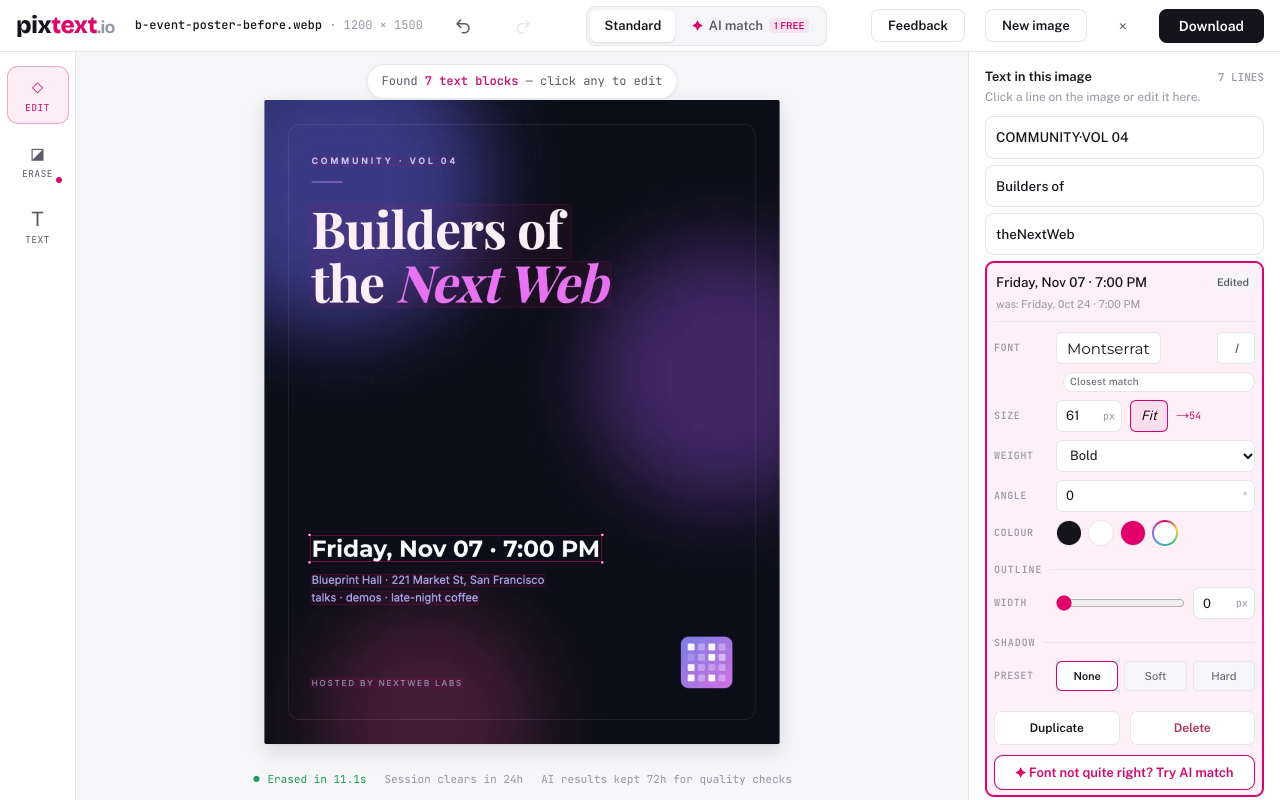
Upload a screenshot, poster, flyer or product photo — every piece of text is detected automatically. Click the words you want to change, type the replacement, and the AI erases the original pixels and reconstructs the background behind them, so the edit looks like it was always there. Font size, colour, position and weight are matched from the original; you can fine-tune everything in the editor, add outlines and shadows, or use the manual brush for anything detection missed.
Typical jobs: fix a typo in a marketing screenshot, change the date on an event poster, update prices on a product image, translate text in a graphic, remove burned-in captions or date stamps, or replace private details with placeholders before sharing a bug report.
Editing and downloading are free, with no daily limit — you just need a free account to download. Signed-in accounts also get one AI match a day, which redraws an edited line in the image's own lettering; AI match packs (from $1.99, one-time) add more. Except for AI match, images are processed in memory, cleared within 24 hours, and never used for training. Text detection works for Latin-script languages and Chinese.
Built for text that sits on a background — which covers most of what people actually want to change.
Loading...
Related products
View all





More categories
All categories







Launched in Week 51, 2026
See the week
Send virtual 3D digital roses with voice notes and QR code.
0
Ecommerce, Creative Tools, Chrome Extension
0
Ecommerce, Creative Tools, Chrome Extension
22d17h45m
Launches in22days
:17hours
:45mins
:35secs


Pixel-exact images from your AI assistant
0
MCP Server, Graphic Design, Content Creation
0
MCP Server, Graphic Design, Content Creation
22d17h45m
Launches in22days
:17hours
:45mins
:35secs
AI replies on X that actually sound like you
0
Social Media Management, Marketing Automation
0
Social Media Management, Marketing Automation
22d17h45m
Launches in22days
:17hours
:45mins
:35secs