PR Explainer
Understand GitHub pull requests before reviewing them
Screenshots
Video Demo
Free
Code Review
DevTool
GitHub Integration
Built with React
Reactb
base44What is PR Explainer?
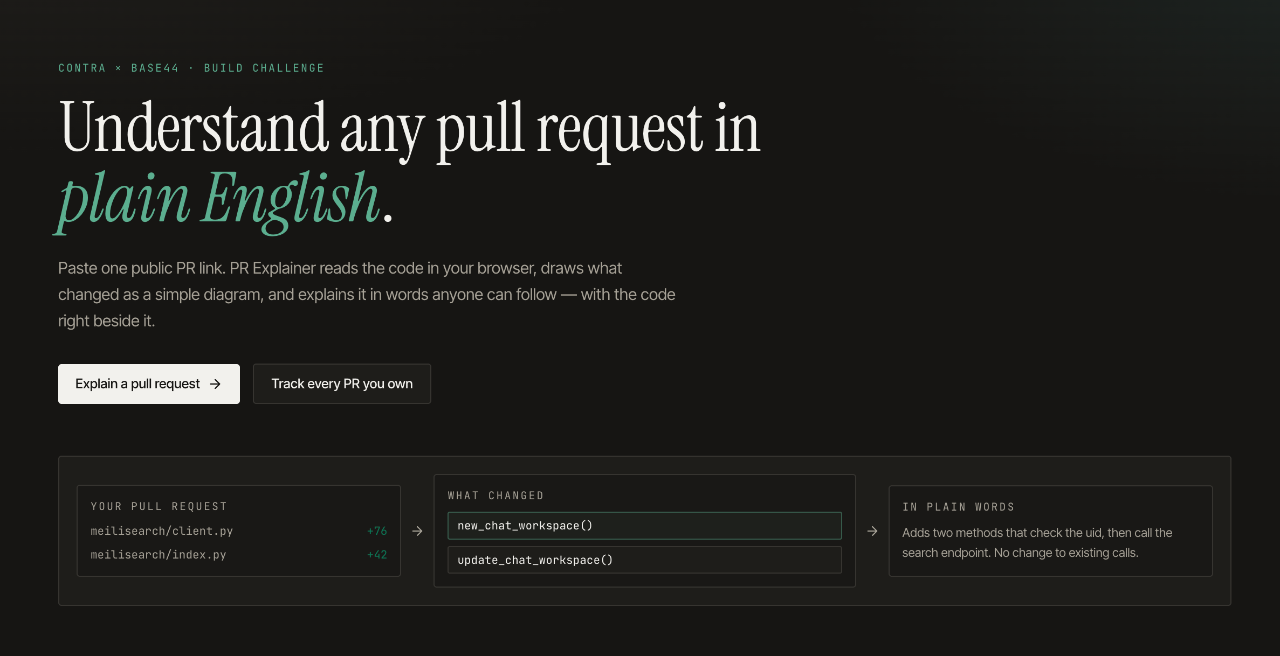
PR Explainer is a developer tool that assists programmers in reviewing GitHub pull requests. By analyzing the submitted code diffs, it helps developers quickly comprehend the context, purpose, and specifics of proposed modifications before they conduct an in-depth code review.
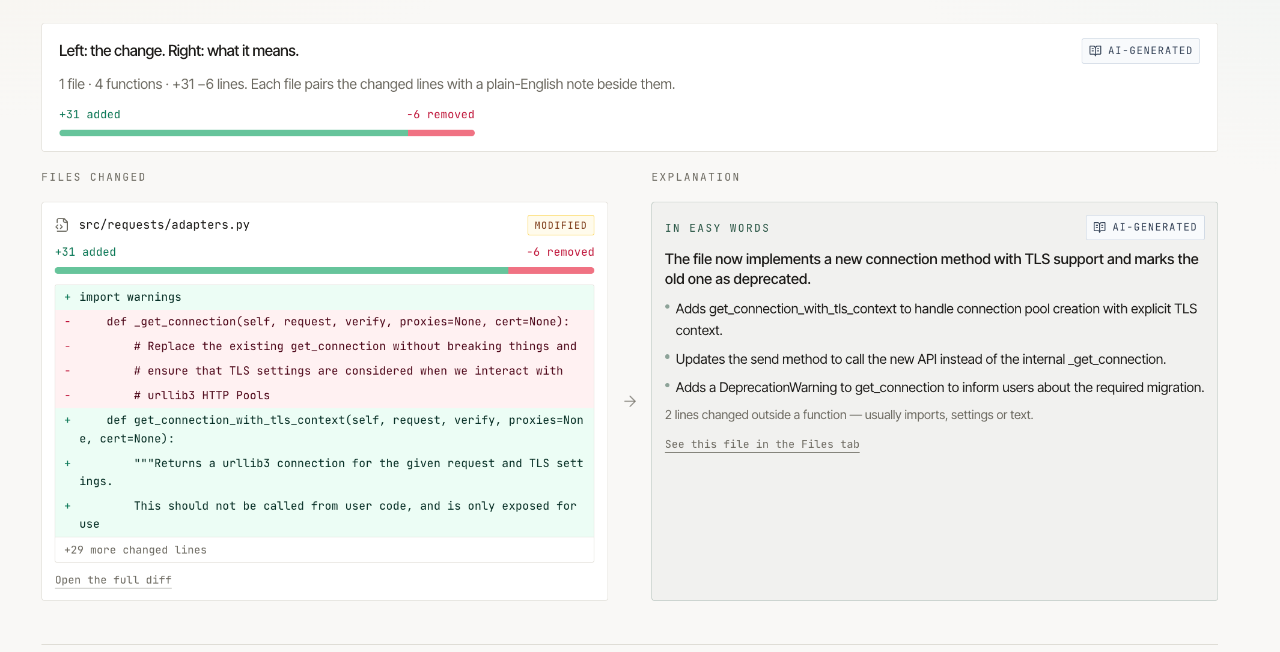
Instead of manually parsing dense patches across multiple files, developers can paste a public GitHub pull request link to inspect the update function by function. Every assertion and summary is pinned directly to specific lines of code on GitHub, making technical audits faster and more precise.
Unlike tools that rely on remote servers to process private repository data, PR Explainer executes directly in the user browser by communicating with the public GitHub REST API. This architectural design provides transparency and ensures that repository information is handled client-side.
Who is it for?
PR Explainer is built for software practitioners who spend substantial time reviewing open-source contributions or peer code.
- Software engineers tasked with auditing large code contributions from teammates.
- Open source project maintainers triaging public community contributions.
- Engineering managers evaluating code architecture changes before merging.
- Junior developers looking to understand complex pull requests written by senior colleagues.
Key features
- Browser-side execution: Operates entirely inside your web browser by interacting directly with the GitHub REST API without passing data through external application backends.
- Function-level breakdown: Breaks down incoming changes by function rather than presenting unorganized diffs, providing a structured overview of technical adjustments.
- Source line verification: Associates every technical observation directly to specific commit lines on GitHub, enabling immediate context verification.
- Commit pinning: Pins the reviewed state to exact commits so reviewers are not thrown off by updates pushed while the inspection is in progress.
- Public repository support: Accepts standard links to public GitHub pull requests for rapid examination without manual cloning or local branch checkouts.
How it works
- Copy the web URL of any public GitHub pull request that requires review.
- Paste the URL directly into the PR Explainer browser application.
- Inspect the functional overview and follow specific line references linked directly to the commit on GitHub.
Use cases
A maintainer managing a popular open-source repository receives an unsolicited pull request modifying several modules. Rather than downloading the branch locally, the maintainer inputs the URL into PR Explainer to inspect the individual functions modified and determine if the submission meets project guidelines.
A software team lead reviewing an urgent patch uses the tool to confirm that changes only affect the targeted functions. Linking directly to GitHub commit lines lets the lead verify safety assertions before approving the merge.
Pricing
PR Explainer is a free web application accessible directly in the browser with no payment plans, usage tiers, or subscription charges mentioned.
FAQ
How much does PR Explainer cost?
PR Explainer is free to use directly in the browser.
Does PR Explainer require server-side access to my repository?
No. The tool runs directly inside your web browser and interfaces directly with the standard GitHub REST API.
Can PR Explainer work with public pull requests?
Yes, you can paste any public GitHub pull request link to parse and inspect the code changes.
Are claims and summaries linked back to the source code?
Yes, every explanation links directly to the specific commit and line of code hosted on GitHub.
Loading...
Related products
View all





More categories
All categories







Launched in Week 52, 2026
See the week
Remove video backgrounds with AI - no green screen needed.
0
AI Video, SaaS, Background Remover
0
AI Video, SaaS, Background Remover
48d18h1m
Launches in48days
:18hours
:01mins
:51secs


Clear old text from short videos and prepare your next edit.
0
Video Editing
0
Video Editing
48d18h1m
Launches in48days
:18hours
:01mins
:51secs