Ribbon
Scrolling window manager for Mac that avoids grids
Screenshots

Paid
Window Manager
Productivity
Utility
Built with VS Code
What is Ribbon?
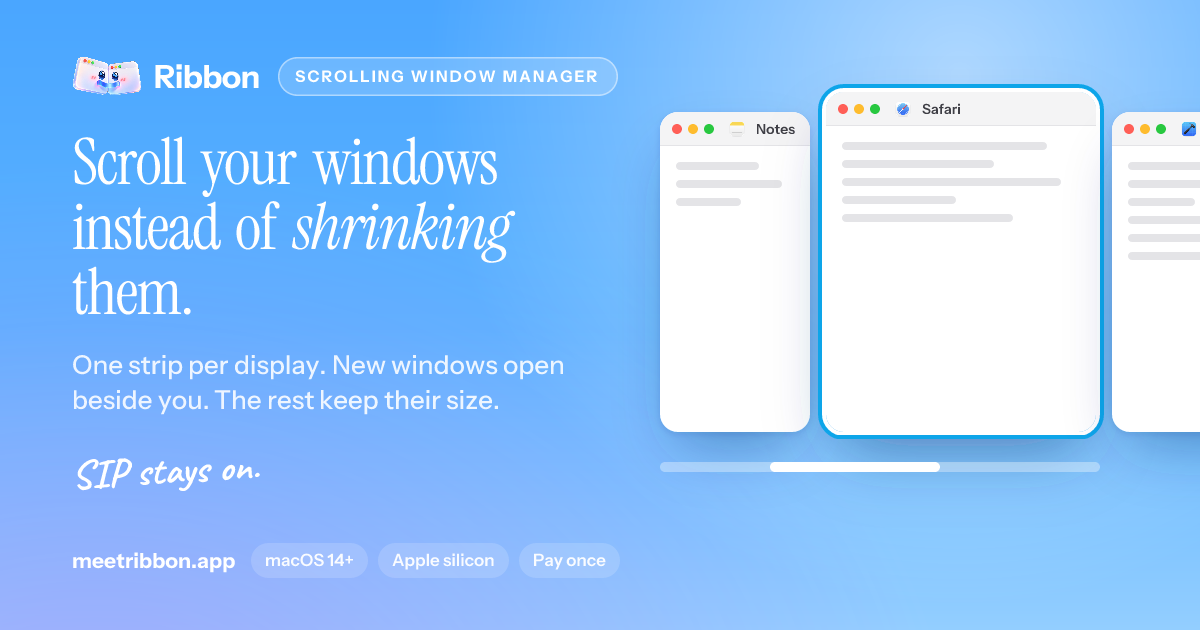
Ribbon is a scrolling window manager designed for macOS. Rather than squeezing windows into rigid grids or hiding them in background piles, Ribbon arranges applications along a continuous horizontal strip. When you open a new window, it appears right next to the current active workspace, keeping the existing windows at their chosen widths instead of shrinking them down.
Traditional tiling managers force applications to share a single fixed display area, which often results in narrow, unreadable windows. Ribbon solves this problem by allowing the application row to extend past the physical edges of the display. Users navigate across the strip using keyboard shortcuts or trackpad gestures while maintaining full-height application views.
The application operates directly from the macOS menu bar and requires only standard Accessibility permissions. Unlike some system-level utility tools, it does not inject code, require kernel extensions, or demand that users disable System Integrity Protection (SIP).
Who is it for?
Ribbon is built for Mac users who regularly balance multiple large windows and want organized workspaces without manual resizing.
- Developers who switch between code editors, documentation, and terminal windows without wanting layouts to compress.
- Multi-taskers transitioning from Linux window tools like PaperWM, niri, or Hyprland to macOS.
- Power users looking for an alternative to Stage Manager or conventional tiling window tools.
- Multi-monitor professionals who need independent window strips across multiple physical displays.
Key features
- Continuous horizontal strip: Places application windows on an infinite row that continues past screen boundaries so apps never hide behind each other.
- Persistent window widths: Allows columns to be configured to fixed divisions such as full width, half, one third, two thirds, or a quarter without reflowing when new windows open.
- Window stacking and tabs: Enables users to stack applications vertically within a column or flip between them using dedicated tab views.
- System Integrity Protection friendly: Operates entirely through macOS Accessibility settings without altering system security or turning off SIP.
- Multi-display support: Assigns an independent scrolling strip to each connected monitor so moving windows between displays does not disrupt existing layouts.
- Customizable trackpad gestures: Supports three-finger scrolling along the strip to slide smoothly between focused applications.
- Keyboard-driven navigation: Includes shortcut chords for moving focus between columns, adjusting widths, and modifying layouts.
How it works
- Download and move Ribbon to the Applications folder on an Apple silicon Mac running macOS 14 or later.
- Grant the requested macOS Accessibility permission and start the application from the menu bar.
- Launch your standard applications, which automatically position themselves side-by-side on the horizontal row.
- Navigate through your workspace by swiping with three fingers or pressing keyboard shortcuts to focus adjacent columns.
Use cases
A software developer can keep a full-width code editor next to a terminal session and documentation browser, sliding across the strip to check documentation without shrinking the editor view.
A writer researching articles can keep note-taking tools, web research windows, and outlines side-by-side in custom widths without dealing with overlapping windows.
A professional working across dual screens can manage distinct tasks on each monitor, using dedicated window strips on both displays independently.
Pricing
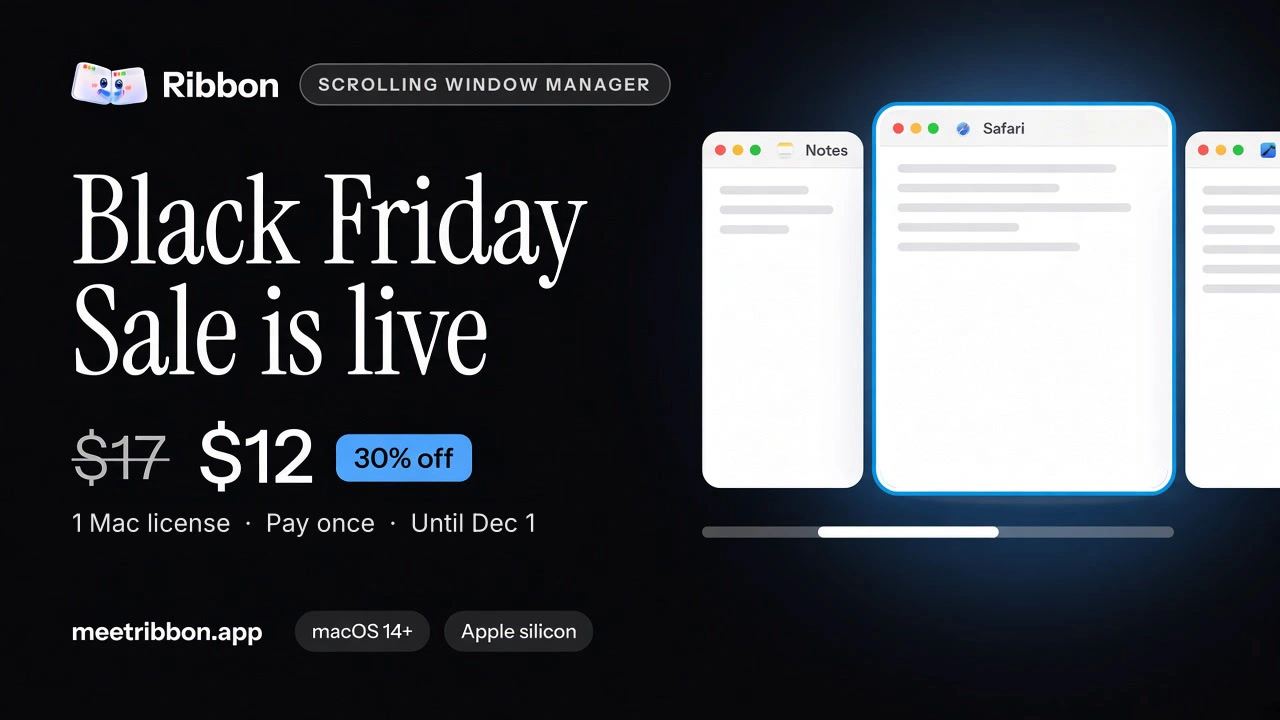
Ribbon uses a one-time payment licensing model with no recurring subscription fees. A personal license for 1 Mac costs $17 USD (discounted to $12 USD during promotional periods), with multi-device options available for 3 Macs or 5 Macs. Purchases cover all updates within the purchased major version, and licenses can be transferred between computers by deactivating the seat in the app settings.
Alternatives
Rectangle offers traditional grid snapping through shortcuts and mouse dragging, which requires fitting all visible windows on the screen at once rather than scrolling past the display edge.
AeroSpace and Amethyst provide automatic tiling layouts that divide screen real estate into grids, whereas Ribbon maintains fixed-width columns on an expandable row.
Yabai provides deep macOS tiling control but often requires disabling System Integrity Protection for advanced features, which Ribbon avoids by relying solely on standard Accessibility permissions.
FAQ
What system requirements does Ribbon have?
Ribbon requires a Mac with Apple silicon running macOS 14 Sonoma or later.
Does Ribbon require disabling System Integrity Protection (SIP)?
No. Ribbon functions using standard macOS Accessibility permissions without kernel extensions or disabling SIP.
Loading...