## When a Visual Decision Gets Made Without a Visual Reference
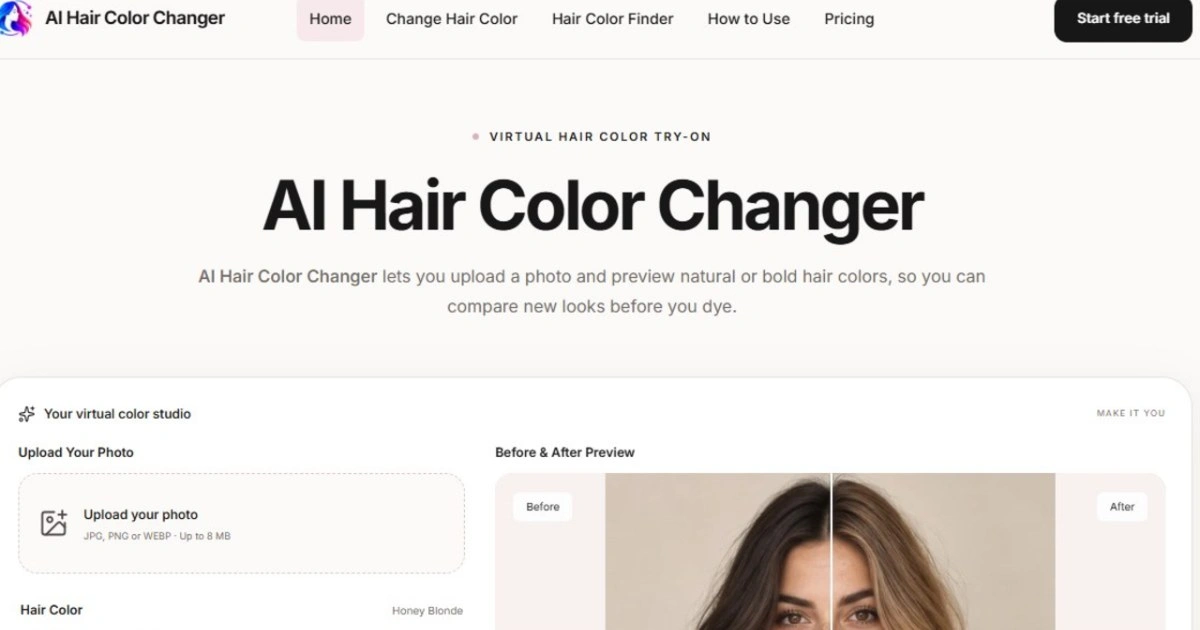
Anyone who plans content, campaigns, or character looks for a living has hit this wall: a hair color change gets decided on paper, in a brief, or in someone's head, and nobody actually sees it against the real face, the real lighting, or the real background until it's too late to change course cheaply. That gap between imagination and the finished result is where budgets and schedules quietly bleed out — a reshoot because the shade reads differently on camera, a dye job that doesn't match the mood board, a decision reversed the night before a shoot. Tools built specifically for that gap change where the risk sits. AI Hair Color Changer is one example of this category: according to the product page, it lets you upload a photo and compare natural and bold shades before committing to anything, which moves the guesswork earlier in the process, when it's still cheap to be wrong.
## From a Brief to Several Reviewable Directions
The actual workflow behind this kind of tool is less about the technology and more about sequencing. A designer or creator typically starts with a visual brief — a mood, a client ask, a character concept — that's still fuzzy enough to support several interpretations. Instead of picking one direction and hoping, the photo goes in first, and multiple color directions come back for comparison. That reordering matters: reviewing five plausible options side by side is a fundamentally different decision-making process than defending a single guess to a client or a team. According to the product page, the tool is aimed at exactly this kind of exploration, covering themed looks, profile ideas, costume planning, and general content concepts rather than a single fixed output.
## Where This Actually Gets Used
The clearest use case shows up with people who need to test an idea before anyone touches real hair, real dye, or a real costume budget. A marketer building out personas for a campaign might want to see how a character or spokesperson reads with three different hair tones before briefing a stylist. A creator planning a themed content series — say, a seasonal rebrand of their on-camera look — benefits from previewing the shade against their actual footage style rather than a swatch chart. Someone prepping a costume for an event can check whether a specific color direction actually suits their face shape and skin tone before buying a wig or committing to temporary dye. None of these are edge cases; they're the ordinary friction points of turning an idea into something that has to survive contact with a camera, a client, or a mirror.
## Judging the Output Before You Trust It
This is also where the review step earns its place, because not every generated preview is equally reliable, and treating one as a guarantee is a mistake. Worth checking: whether the hairline blends naturally into the generated color or leaves a visible seam, whether the shade holds its tone under the same lighting shown in the original photo, and whether the result still looks plausible at a size larger than a thumbnail. A preview that looks convincing at a glance can fall apart under closer inspection, and that's fine — the point isn't to replace a stylist's judgment or guarantee a dye outcome, it's to narrow a wide field of options down to two or three worth discussing further. Teams that skip this review step and treat the first generated image as final tend to reintroduce the same guesswork they were trying to avoid, just one step later in the process.
If you're the kind of person who ends up defending a color choice in a meeting, or committing a client's image to a direction you haven't actually seen, it's worth testing a few shades against a real photo before the decision gets locked in. The product page at AI Hair Color Changer lays out how the comparison step works if you want to see it against your own reference images.