



The first commit of Simple Voice Calculator is dated April 27, 2023, and the app was on the App Store five days later. The idea was simple: say a sum out loud and see the total. Three and a half years later it is on version 3.9, runs on iPhone, iPad, Apple Watch and Vision Pro, and has 206 ratings averaging 4.6 in the US. The idea is still simple. Almost everything around it turned out to be harder than I expected.
Speech is messy, so make mistakes cheap
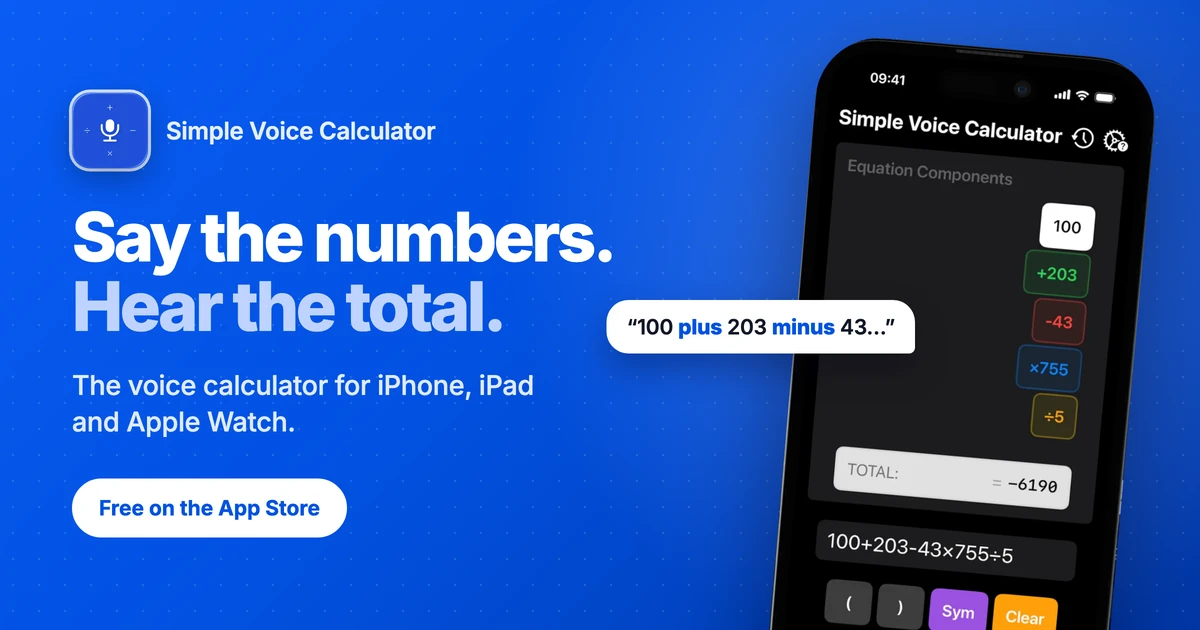
Speech recognition gets most numbers right, but not all of them. Early on, one misheard number meant starting the whole calculation again, and that is exactly the moment people give up. The fix was to show every spoken number as its own colored block: green for plus, red for minus, blue for times, orange for divide. If one is wrong, you tap it and fix it. The total updates while you talk, so you never have to say "equals".
Languages are harder than math
The app works in English, German, Italian, Spanish, Hindi and Korean. Translating the interface was the easy part. The hard part is the words people actually say out loud. German uses a comma as the decimal separator, so "2,5" has to be read as two and a half, not as two numbers. Every operator needs the right spoken keyword in every language, sometimes several of them. I am still tuning those keywords, and if you speak Korean or Hindi I would love a second pair of ears.
Users find the bugs you never would
Some of the best fixes came straight from user emails. Version 3.6 fixed a bracket bug that a user reported, and the same release added currency symbols and phrases like "15% of 200", because that is how people actually talk about money.
Keep listening when the user leaves
Most people use a voice calculator while reading numbers from somewhere else: a bank app, a PDF, a spreadsheet, a pile of receipts. In version 3.8 the app gained a Live Activity, so it keeps listening in the background and shows the running total in the Dynamic Island and on the Lock Screen. You read, it adds.
Accessibility is the point, not a checkbox
A calculator you can talk to is also a calculator you can use without looking at the screen. The app supports VoiceOver, Voice Control and Dynamic Type, and Announce Total reads the result aloud. Speech recognition runs on-device, so it works offline and your numbers stay on your phone.
What is next
More language polish, and getting the word out, which, as every indie here knows, is a full-time job of its own. If you want to try it, it is free with no ads: https://vito.software/simple-voice-calculator/