
MagicRemover
Erase objects, people, text, and watermarks from photos.
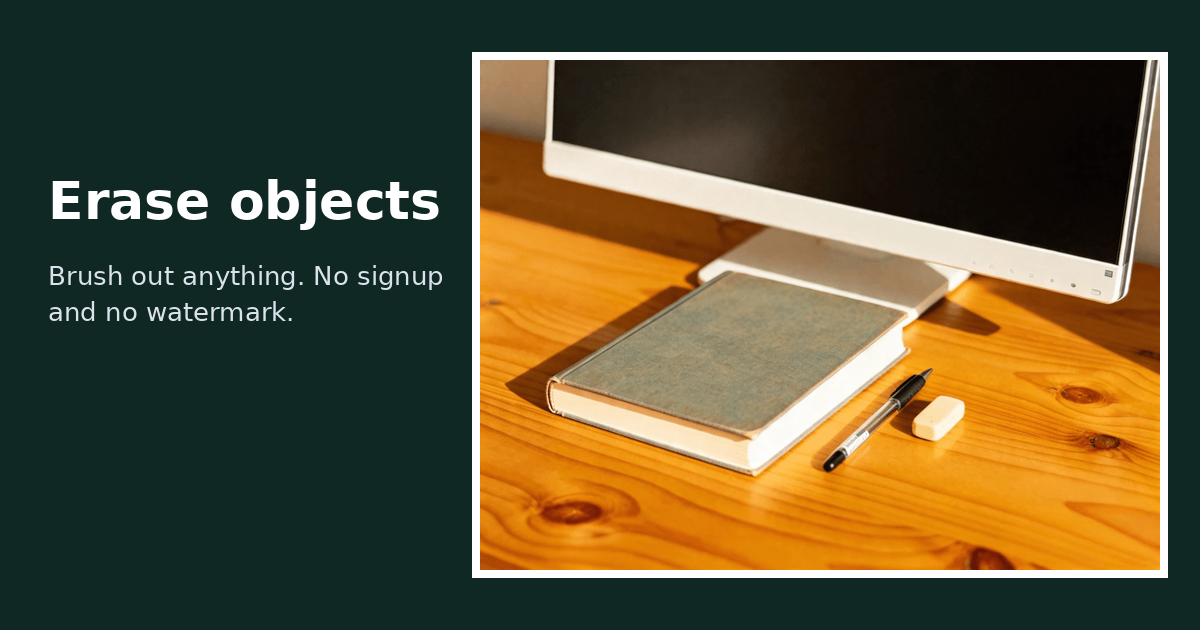
Screenshots



Free
Photo Editing
Creative Tools
AI
Built with Next.js
What is MagicRemover?
MagicRemover is a web-based photo editing application that eliminates unwanted elements from images using artificial intelligence. It solves the problem of visual clutter by automatically reconstructing background textures like sky, walls, water, and foliage in place of erased items.
The platform differentiates itself through accessibility and simplicity. Users can process pictures directly in a browser without creating an account, entering credit card information, or dealing with forced watermarks on output files. Instead of complex layer-based manual stamping, it uses an inpainting model to predict and generate the missing scene data based on surrounding visual context.
Who is it for?
MagicRemover is designed for individuals and creators who need fast photo cleanups without desktop editing software.
- Travelers looking to clear tourists, photobombers, and crowds out of holiday shots.
- Designers and marketers cleaning logos, brand marks, and sponsor patches off mockups or stock assets.
- Social media managers removing overlay stickers, emojis, chat balloons, or censor bars from screenshots.
- Photographers seeking to erase power lines, litter, road cones, and date stamps from their frames.
Key features
- AI Object Eraser: Erases power lines, trash, signs, and background debris while synthesizing matching textures to fill the void.
- Background People Remover: Clears background pedestrians, crowds, and accidental photobombers without distorting the primary subject.
- Watermark and Logo Remover: Eliminates copyright text, corner signatures, semi-transparent patterns, and apparel branding.
- Text and Overlay Eraser: Erases burned-in camera timestamps, subtitles, memes, and UI overlays while leaving the surrounding framing intact.
- Sticker and Emoji Remover: Scrubs pasted graphics, chat bubbles, and social media stickers off screenshots.
- No Watermark Outputs: Downloads clean PNG images without platform branding, even on the free plan.
- Zero-Signup Access: Lets visitors complete edits immediately through client-side daily count tracking.
How it works
- Upload a JPG or PNG image by dragging and dropping it into the browser window or selecting it from your files.
- Use the brush tool and size slider to paint a red mask directly over the item, person, or text you want removed.
- Select the button to remove objects, wait around fifteen seconds for processing, and download the resulting clean PNG file.
Use cases
Vacation and portrait photography frequently suffer from busy backgrounds. Users can paint out random pedestrians, vehicles, and utility poles behind their subjects to preserve a clean portrait without requiring advanced Photoshop knowledge.
Digital content creators and marketers often need to clean up screenshots or product mockups. The tool enables them to remove social media UI stickers, captions, chat bubbles, and brand logos before publishing visual assets.
Archivists and hobbyists working with scanned family prints or digital captures can scrub away intrusive yellow date stamps, camera markers, or corner copyright signatures without blurring the base photo.
Pricing
MagicRemover operates on a Freemium model. Visitors receive 2 free photo removals every day without creating an account. Signing in with Google adds an extra 2 free daily edits, giving signed-in users up to 4 free operations per day, which reset at midnight UTC. Paid credit packs are available as one-time purchases with no recurring subscriptions: the Starter pack provides 330 credits for $9.90 ($0.03 per credit), the Popular pack offers 1,200 credits for $29.90 ($0.0249 per credit), and the Pro pack offers 3,000 credits for $59.90 ($0.02 per credit). Each standard photo removal beyond the free allowance costs 1 credit. Credits do not expire, and payments are handled via Stripe.
FAQ
Is MagicRemover free to use?
Yes. You can edit 2 photos per day completely free without an account, and signing in with Google adds an additional 2 free daily edits. No credit card is required, and output photos carry no watermarks.
Do I need to install software or create an account?
No installation or account is required to start editing. You can access the tool in any modern web browser, and the free allowance works right away.
What file types and sizes are supported?
MagicRemover accepts JPG and PNG files up to roughly 10 megabytes. Larger files are automatically scaled to around 1 megapixel for processing.
What are the limitations of the tool?
The AI performs best on elements occupying less than 30 percent of the frame. It struggles with erasing very large swaths of an image, objects dominating the view, or dense pages of text copy due to the lack of surrounding background context.
Loading...
Related products
View all





More categories
All categories



Launched in Week 2, 2027
See the week
Fast AI video super-resolution to 4K online
0
AI Video, Video Editing, AI
0
AI Video, Video Editing, AI
69d13h57m
Launches in69days
:13hours
:57mins
:08secs

Build resumes and portfolios with AI and export to PDF free
0
Resume Builder, Portfolio, Career
0
Resume Builder, Portfolio, Career
69d13h57m
Launches in69days
:13hours
:57mins
:08secs

AI translation for documents and images
0
Translation, Natural Language Processing
0
Translation, Natural Language Processing
69d13h57m
Launches in69days
:13hours
:57mins
:08secs