
Markdown Viewer
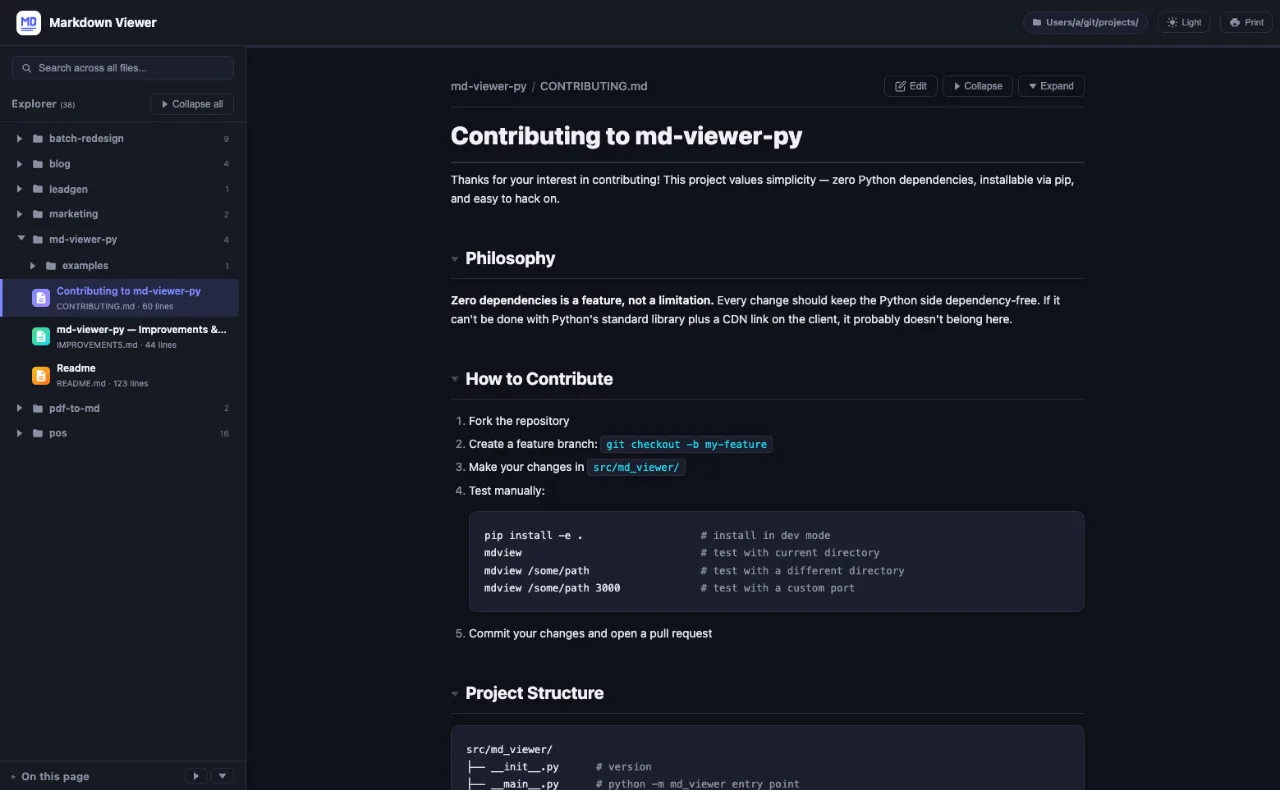
Drop-in Markdown viewer for any folder. Dashboard, live relo
Screenshots


 Javascript
 Python
 Html5
Html5 CSS
CSSmd-viewer-py is a versatile, drop-in Markdown viewer designed for any folder on your system. It simplifies the process of viewing and interacting with Markdown files by providing a user-friendly dashboard, live reloading capabilities, and customizable themes. Installation is straightforward via pip: simply run pip install md-viewer-py and then execute the mdview command from anywhere.
This tool is perfect for developers, writers, and anyone who frequently works with Markdown files and needs a quick, efficient way to preview and edit them. It addresses the common problem of juggling multiple applications or complex setups to view Markdown, offering a seamless, integrated experience.
Key Features:
- Minimal Dependencies: Primarily relies on watchdog for live reload, automatically installed with pip.
- Easy Installation: Installable via pip or pipx, allowing you to use the mdview command universally.
- Dashboard View: A grid view of folders and files, inspired by macOS Finder.
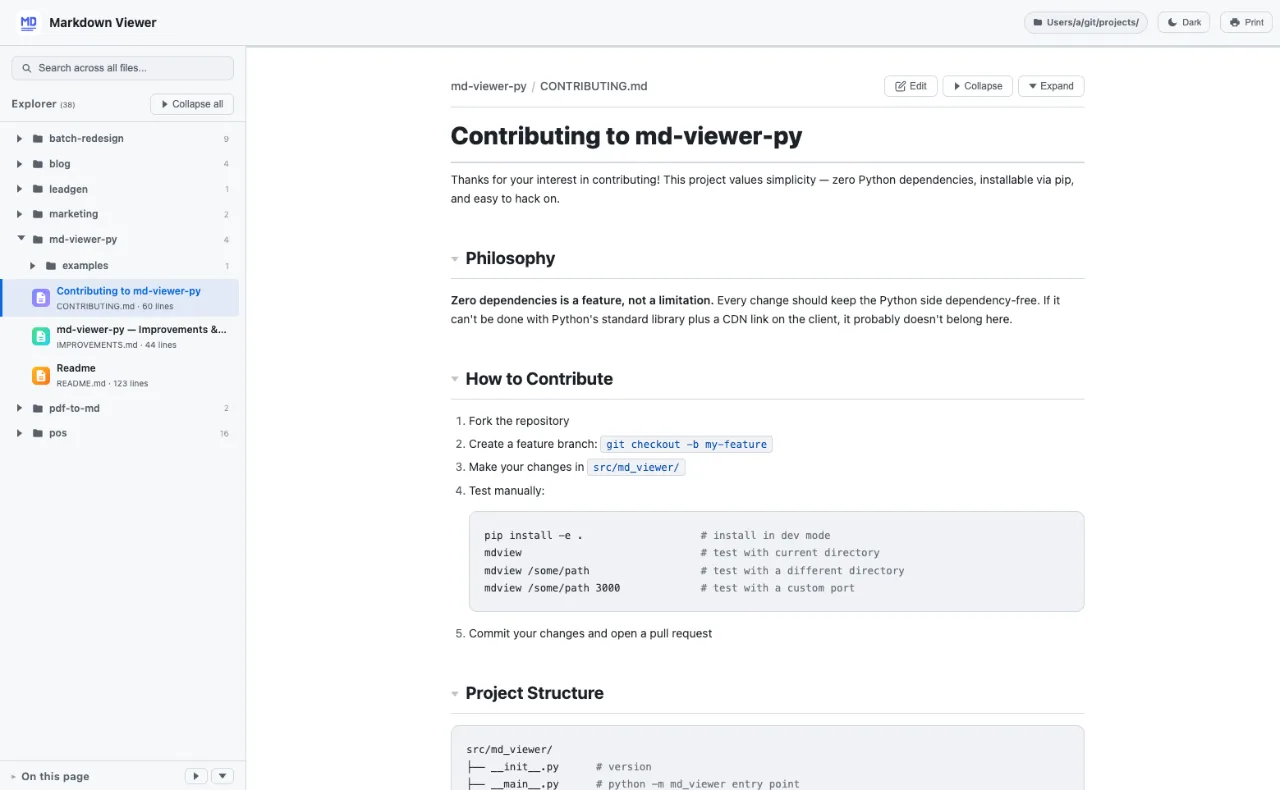
- Themes: Supports both dark and light themes, with an OS-aware toggle.
- File Tree Sidebar: Navigate through directories with collapsible folder structures.
- Full-Text Search: Debounced search across all Markdown files with lazy loading.
- Table of Contents: Auto-generated ToC with scroll spy and collapsible groups.
- Collapsible Sections: Click headings to expand or collapse content.
- In-Browser Editing: Toggle edit mode with a toolbar, featuring live preview and saving directly to disk.
- Live Reload: Instant updates through Server-Sent Events (SSE) and native file system watching.
- Syntax Highlighting: Supports code blocks with highlight.js.
- Mermaid Diagrams: Renders flowcharts, sequence diagrams, and more inline.
- .gitignore Support: Respects ignore patterns from root and subdirectories.
- Gzip Compression & Caching: Optimized responses with Gzip compression and ETag caching.
- Keyboard Shortcuts: Includes navigation via arrow keys and search with '/'.
- Reading Progress: Indicates reading progress within the document.
md-viewer-py aims to provide a comprehensive yet lightweight solution for Markdown viewing and editing, making documentation and writing workflows far more efficient.
Related products
View all
L2Cache
The Smart Clipboard for Developers

git-lrc
Free, Unlimited AI Code Reviews That Run on Every Commit

DevCleaner
Reclaim Gigabytes from Your Mac Dev Tools


More categories
All categories


Launched in Week 15, 2026
See the week
Supaboard
Ask in plain English. Get accurate answers from your data


SimFic
Live the fiction.

Headjust
Visualize head movement with your headphones to stay fluid a

