## When the Script Stops Being the Problem
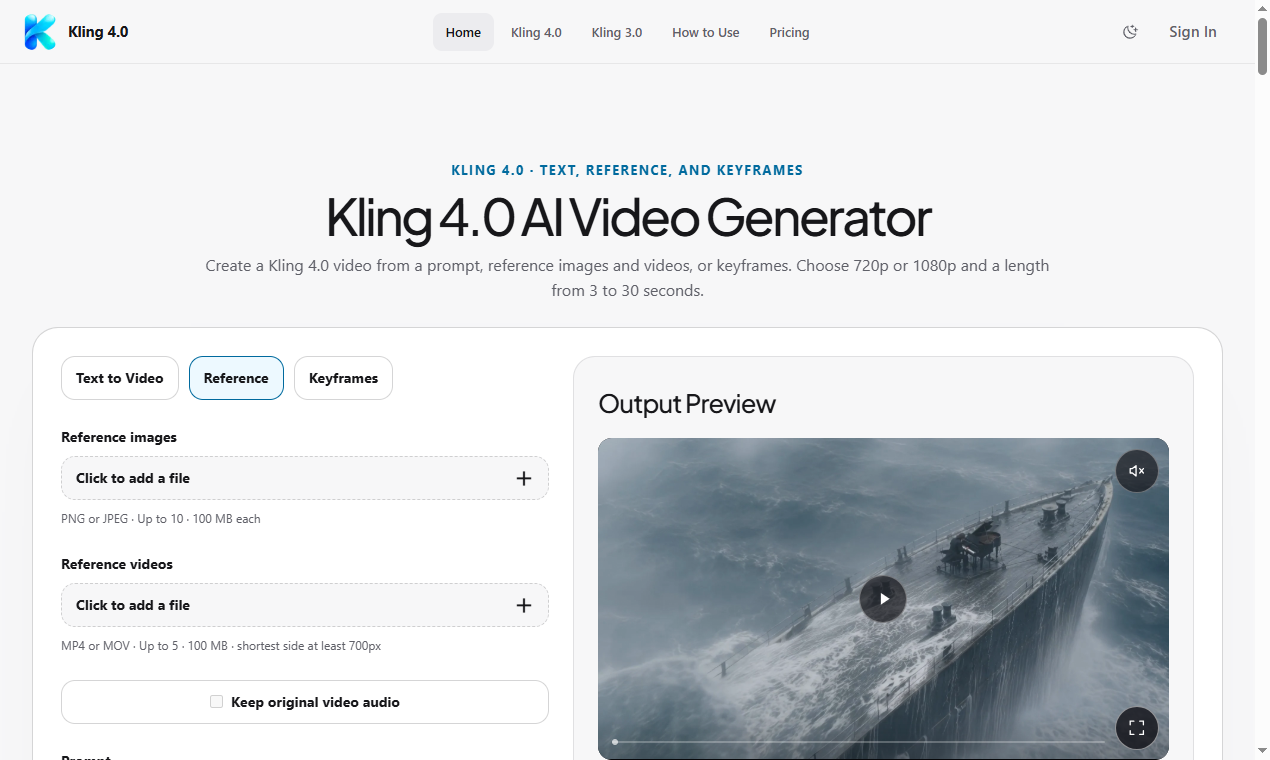
Most short-form video work doesn't stall because the script is bad. It stalls because nobody can see what the script looks like in motion until someone has already been paid to shoot it. A product team writes three sentences of voiceover, hands it to a freelancer or an internal editor, and then waits two or three days for a rough cut that may not match what anyone pictured. By the time feedback comes back, the schedule has already slipped. One way teams are shortening that gap is by generating a rough video pass directly from the script first, using a tool like <a href="Kling 4.0">Kling 4.0</a> to turn prompts or scripts into short video directions that the team can react to before committing real production time.
## Building a Draft Pass Before the Real Shoot
The workflow that tends to work is simple on paper: write the script as you normally would, then break it into short beats instead of one long paragraph. Each beat becomes a separate prompt describing the shot, the setting, and the action, rather than trying to compress an entire scene into one instruction. According to the product page, Kling AI Video Generator brings together different Kling models in one place, with the current model described as supporting longer clips, higher resolution output, and a working method that uses keyframes and reference items to keep a sequence visually consistent across beats. In practice, that means you can treat each beat as its own small test instead of gambling on one long generation and hoping it holds together.
The discipline this requires is mostly editorial, not technical. If a beat doesn't translate into a clear visual instruction, that's usually a sign the script line itself is vague, and it's cheaper to catch that at the prompt stage than during a real shoot. Teams that skip this step often discover the same ambiguity later, just after money has already been spent on talent or location time.
## A Concrete Use Case: Explainer Clips for a Feature Launch
Consider a small product team preparing a 30-second explainer for a new feature. Instead of handing the script straight to a video editor, they split it into five or six beats: the problem the feature solves, the first interaction, the result, and a closing line. Each beat gets its own draft pass, generated separately so the team can judge pacing and tone beat by beat rather than waiting for a finished edit. The reference items mentioned on the product page are relevant here, since they let a team reuse a consistent visual anchor, like a product shot or a brand element, across multiple beats so the draft doesn't feel like five unrelated clips stitched together.
This isn't a replacement for a finished video. It's closer to an animated storyboard: rough, fast, and specific enough that a reviewer can say "the pacing on beat three is wrong" instead of "something about this feels off," which is a much harder note to act on.
## The Review Step That Actually Saves Time
The part teams skip, and later regret skipping, is a real review pass before moving to production. That means sitting down with the draft beats, comparing them against the original script line by line, and asking whether each beat still serves the intended message or has drifted into something generic. It also means being honest about limitations: a rough AI-generated pass is a directional tool, not a finished asset, and claims about exact resolution, clip length, or output quality should be checked against the current product page rather than assumed from memory, since these details change as models update.
Once the team agrees the beats hold together, the script gets locked, and only then does real production planning start, shot lists, talent booking, or a polished edit pass, depending on the team's resources.
## Where to Go From Here
If your team is losing days to mismatched expectations between a script and a first video draft, the fix usually isn't a longer script review meeting. It's giving reviewers something to look at earlier. Testing a short script through a tool like Kling 4.0 before committing to a full production schedule is a low-cost way to find out whether the idea works in motion, not just on paper, and the product page at Kling 4.0 is worth a look if you want to see how the current model handles keyframes and reference items firsthand.